WorkKarate Kid: Legends
Interactive Experience · April 2025
Karate Kid: Legends × IMDb
I developed the initial experience, game mechanics, interaction system, and supporting assets as part of IMDb Creative Studio, working closely with Design Technology. As the campaign progressed into production, the work continued collaboratively across the IMDb Creative Studio design and Design Technology teams.
Explore the finished campaignWatch the final production
Finished campaign references from IMDb Creative Studio.
From watching to participating
Karate Kid is built around training, discipline, and progression. Instead of treating the IMDb takeover as another passive piece of movie advertising, we explored how the audience could participate in that training themselves. The concept turned the advertising surface into an interactive training experience.
Train like a Karate Kid
Precision, Balance, and Memory were designed as one training path — enter, choose a challenge, complete the set, and progress — not as three disconnected mini-games.
- IMDb
- Enter training
- Choose challenge
- Precision
- Balance
- Memory
- Complete training
- Reward / progression
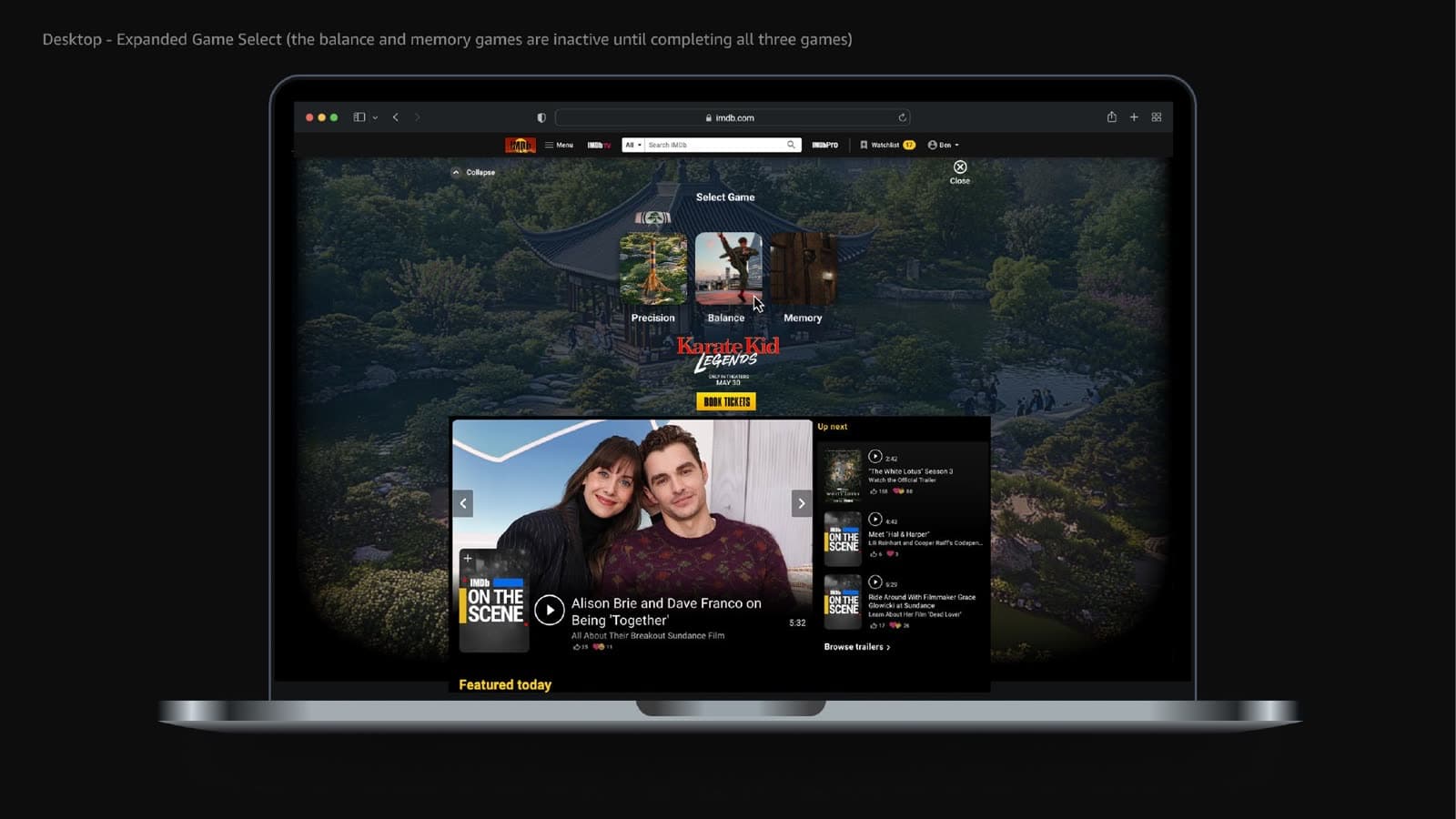
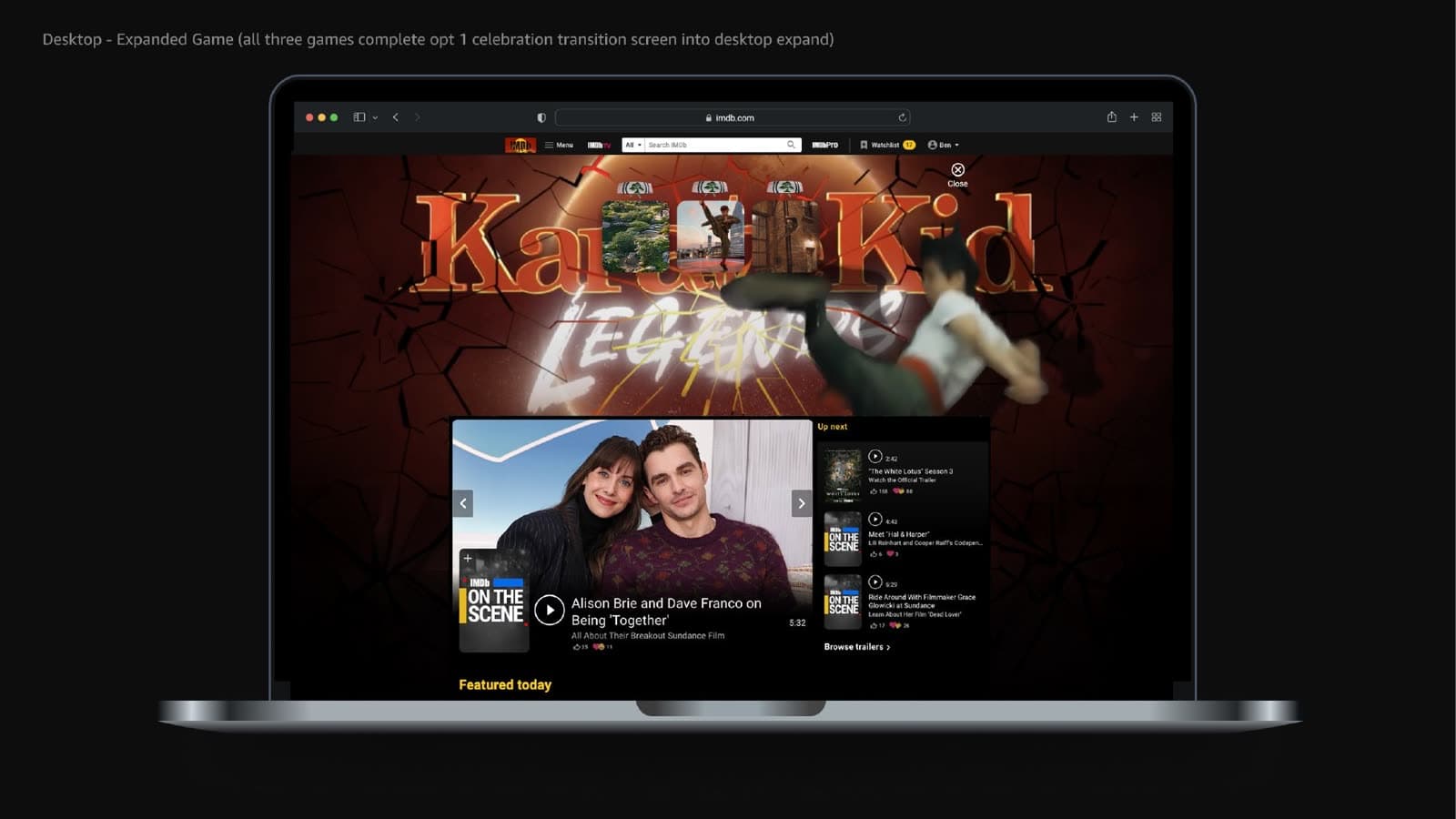
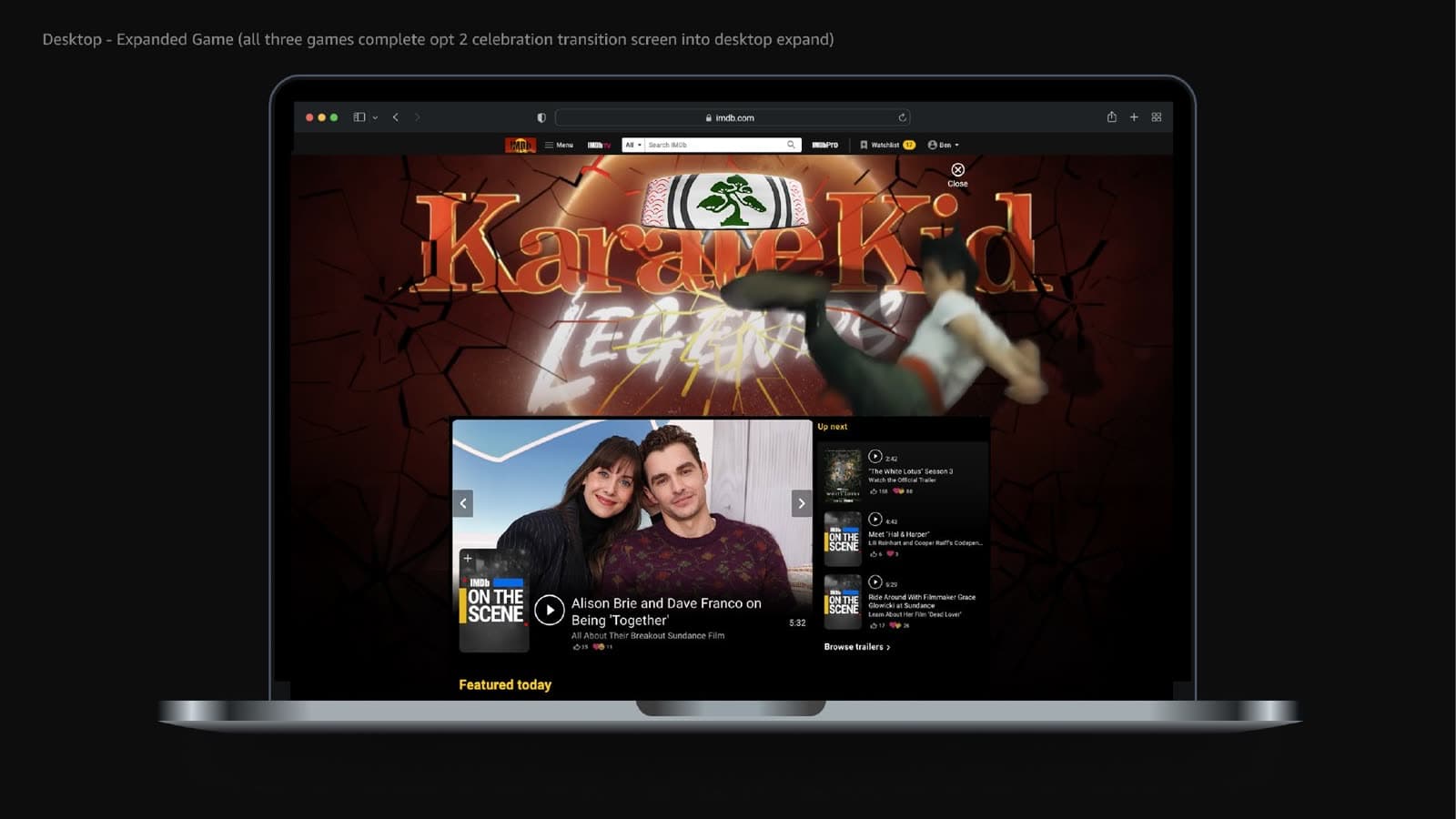
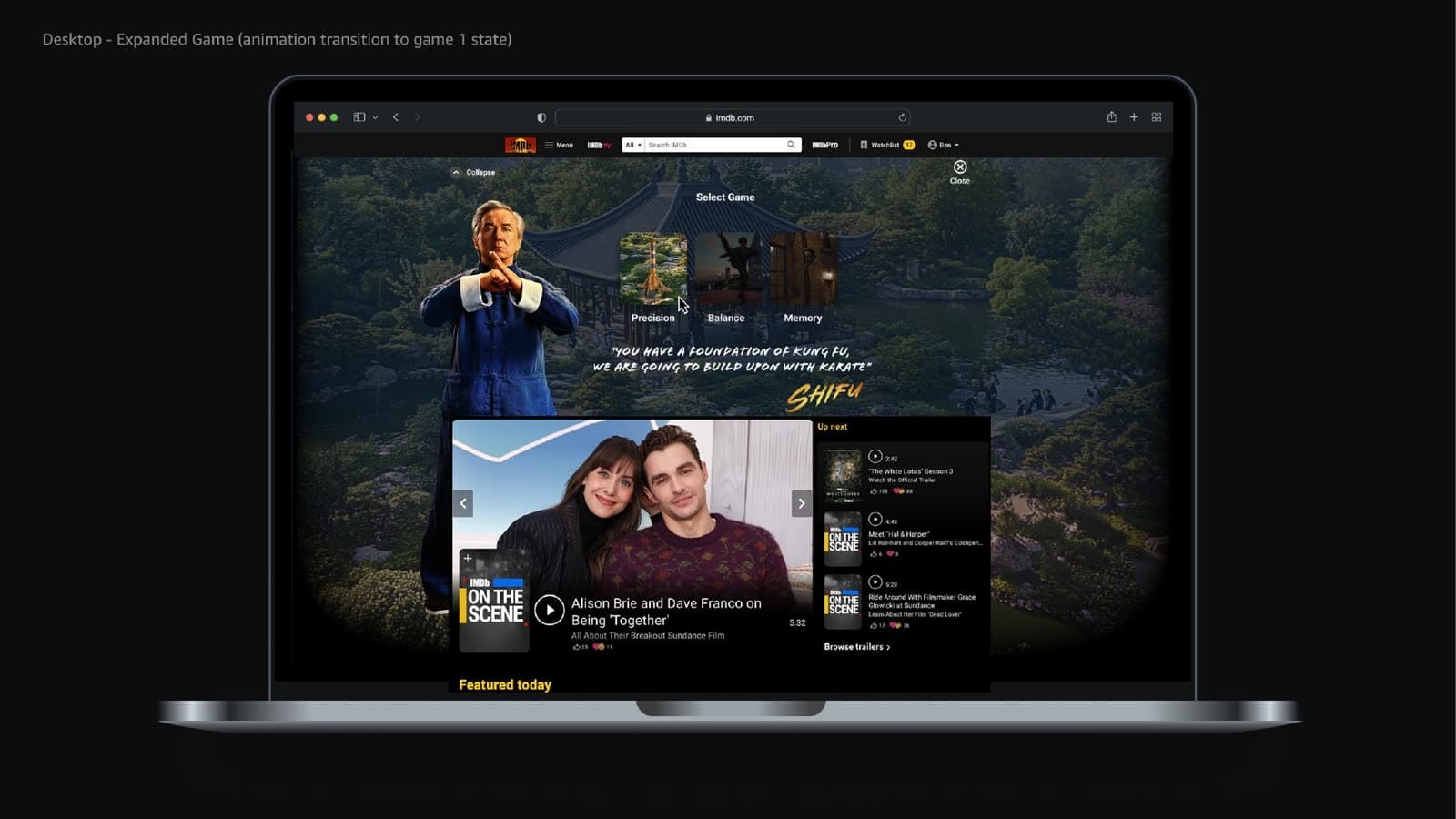
Designing how the experience plays
The brief for my April 2025 work was behavioral as much as visual: how the games listen, respond, score, fail, and move the player forward.
The three boards below are portfolio demonstrations of the mechanics. They are not the shipped IMDb unit.
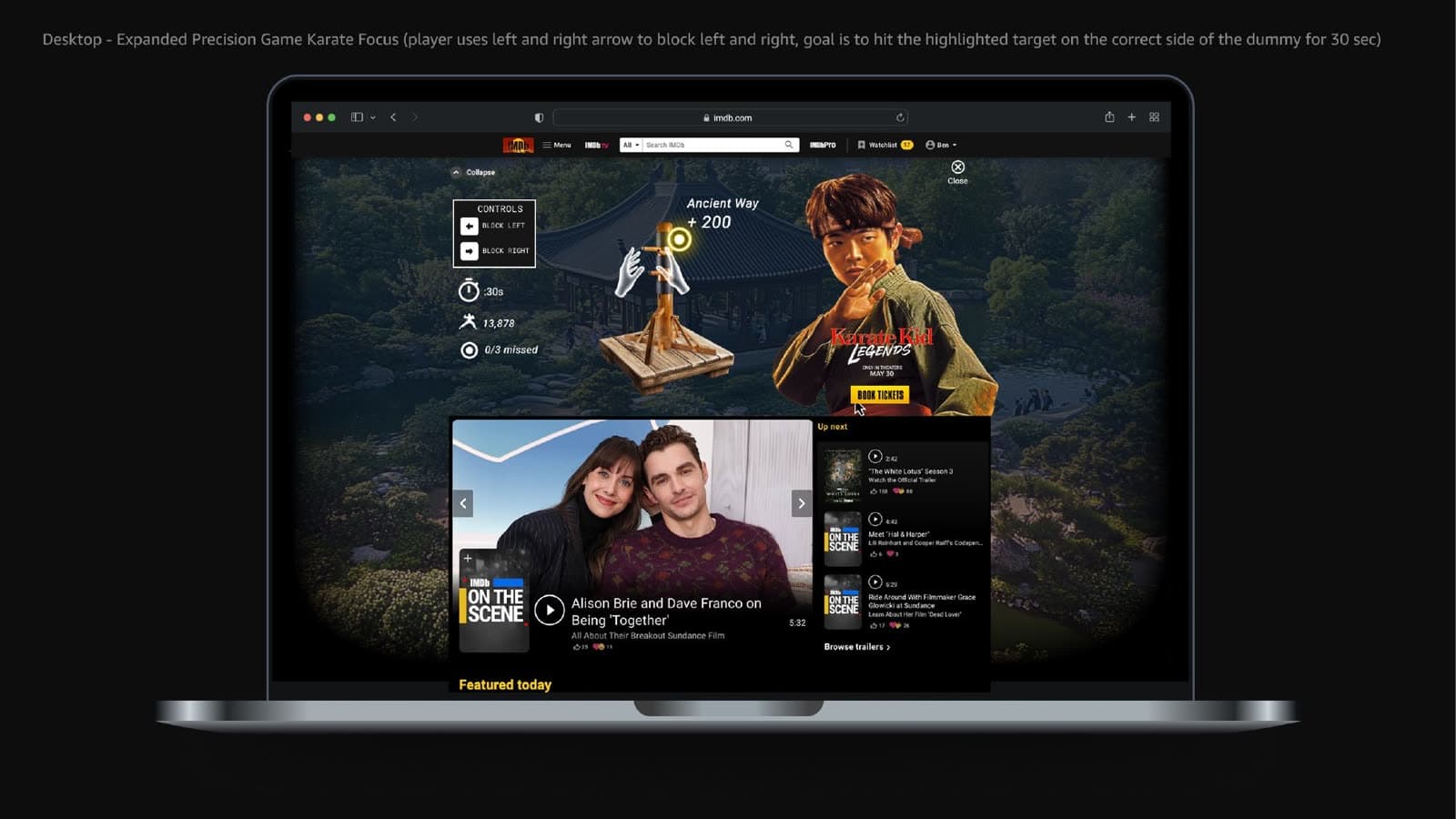
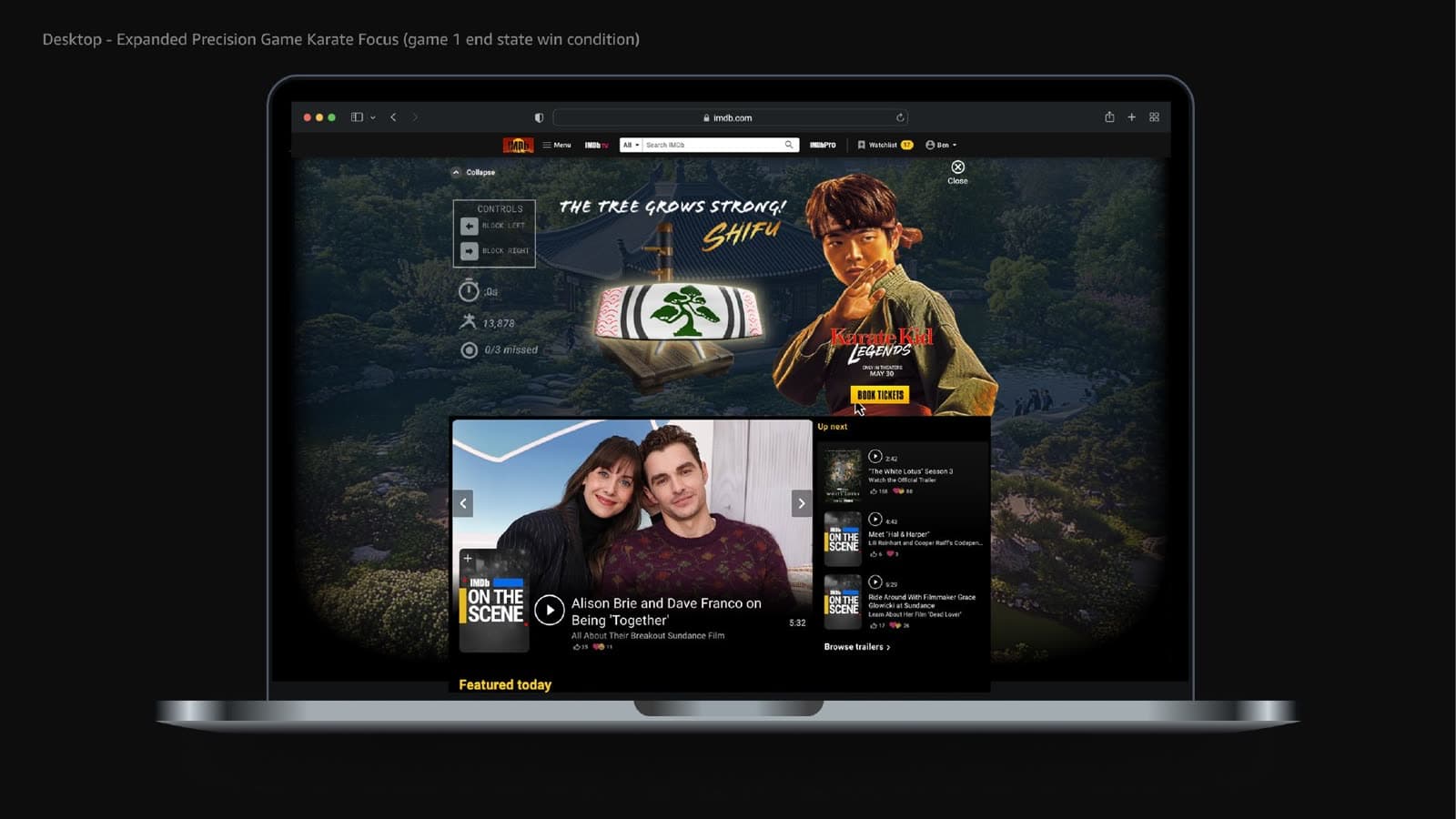
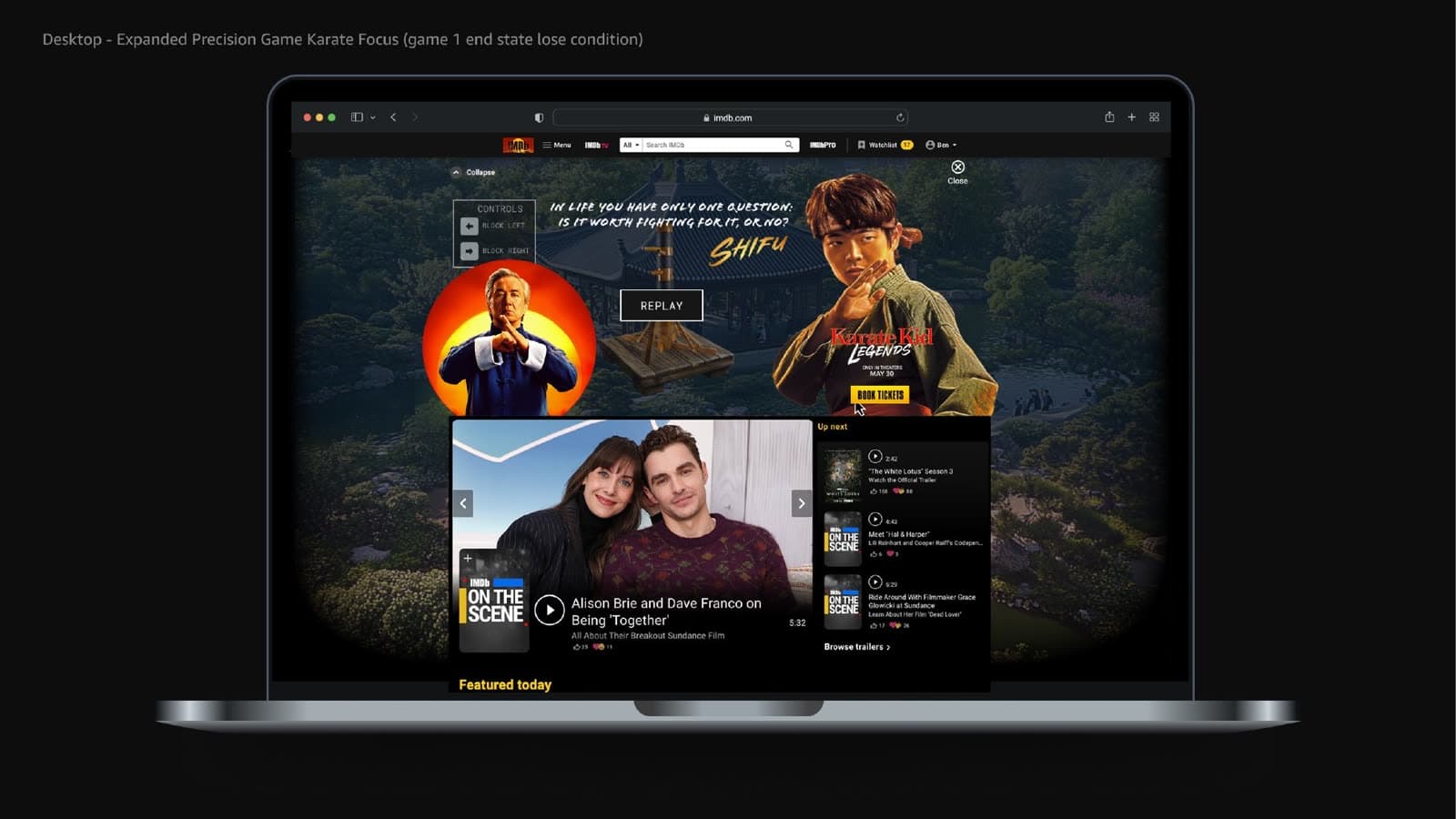
Precision
Accuracy + timing + controlled response
- Instruction state before the first strike
- Directional block left / block right
- Highlighted target on the dummy
- Hit window, scoring, and miss count
- Success, failure, and replay
Precision
Accuracy + timing + controlled response
- Hits
- 0
- Missed
- 0 / 3
- Time
- 20s
Arrow keys or the block buttons. Three misses ends the drill.
Precision demo idle. Use Block left or Block right when a target highlights.
Ready
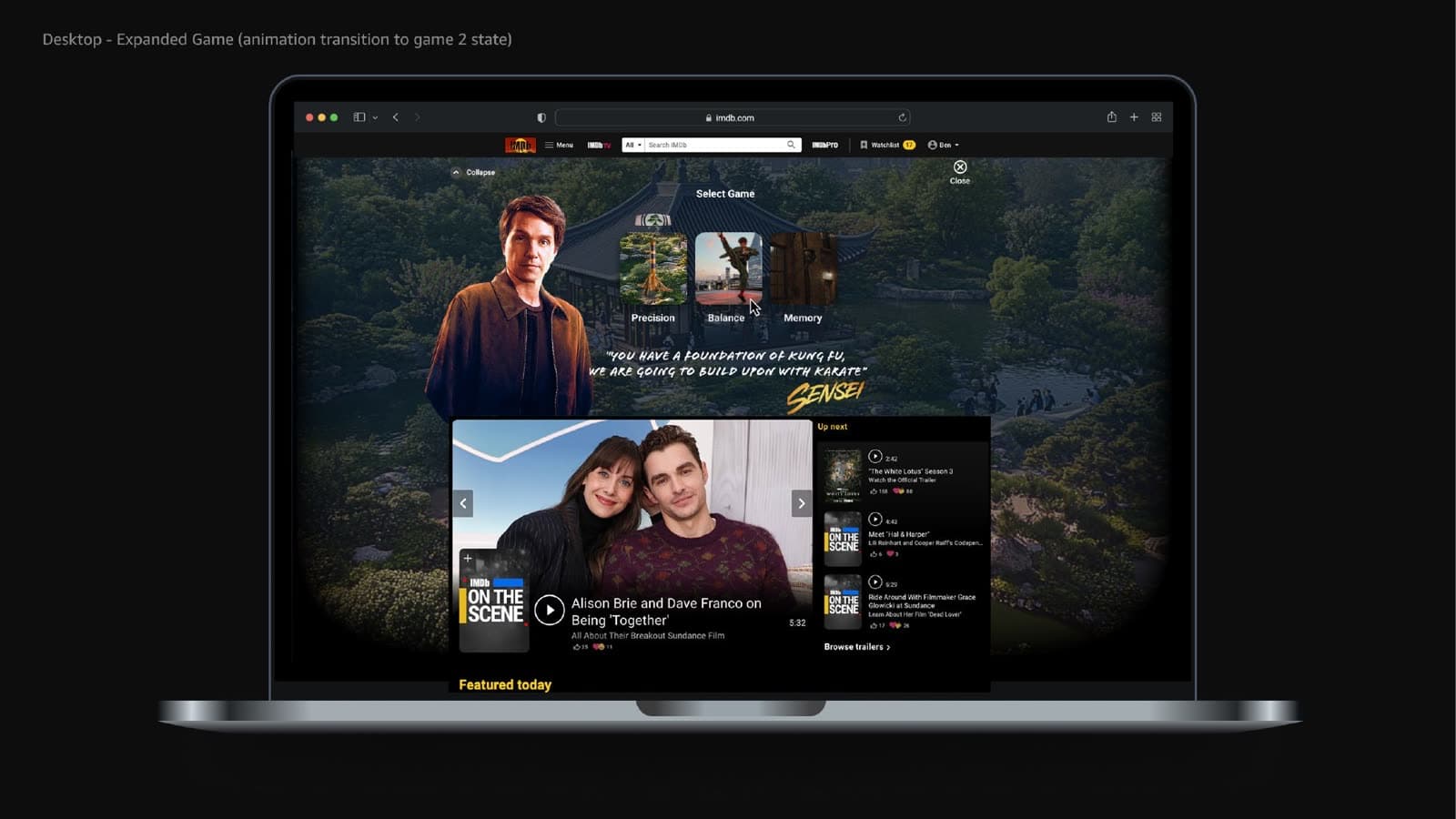
Balance
Control + equilibrium + sustained input
- Continuous left / right correction
- Keep the marker inside a target zone
- Timer and out-of-zone feedback
- Hold the stance to complete the drill
- Success, failure, and replay
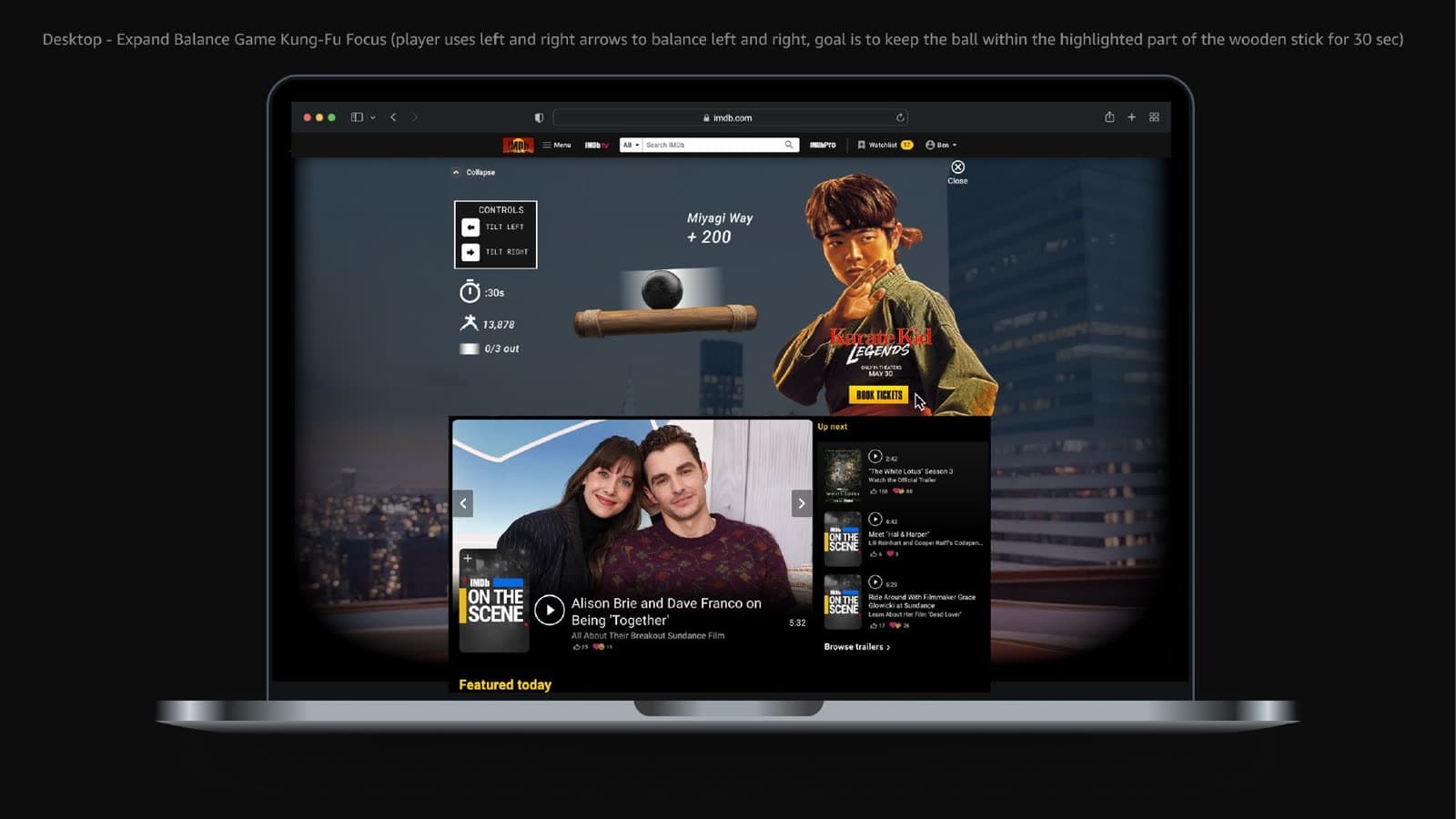
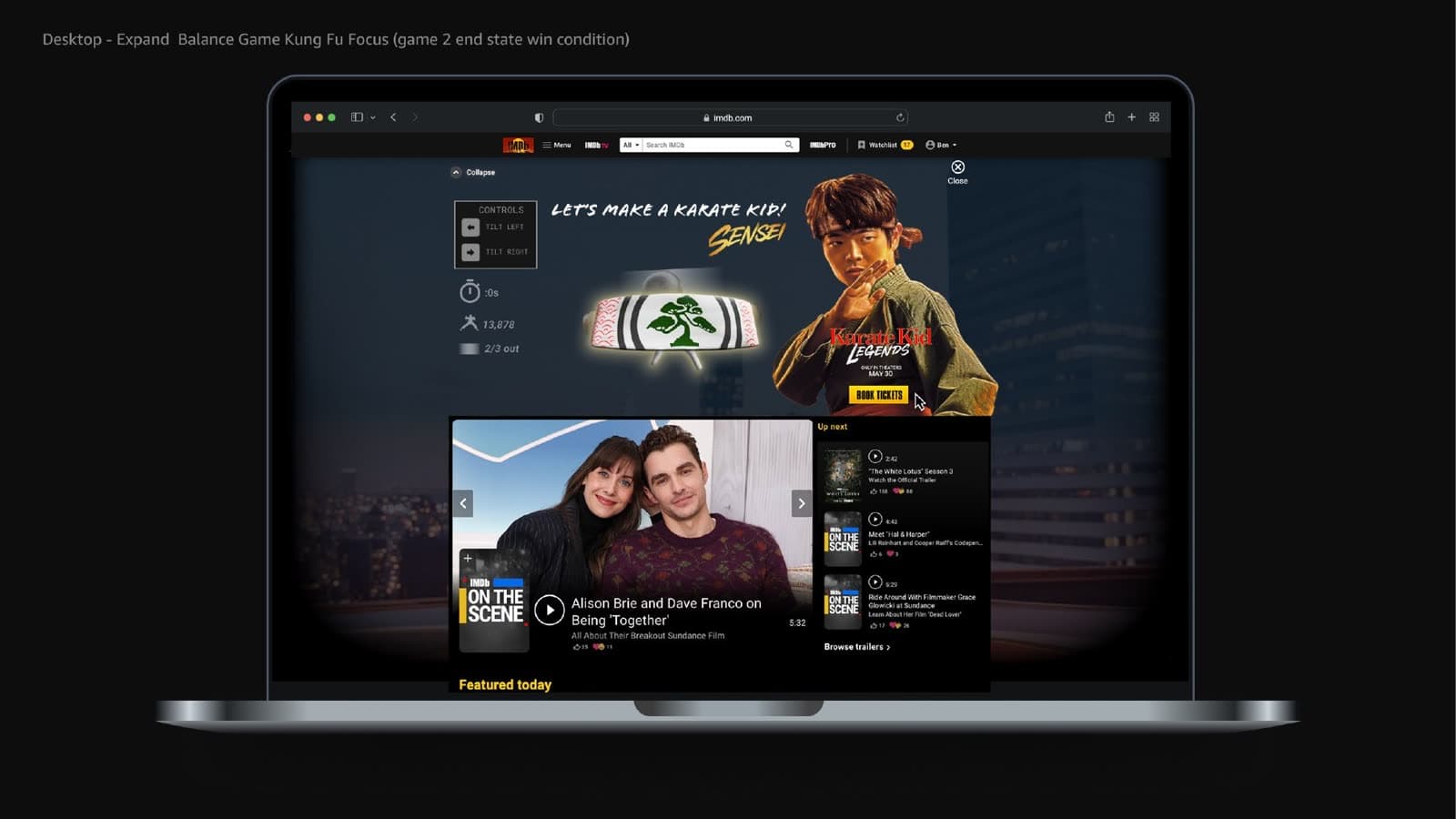
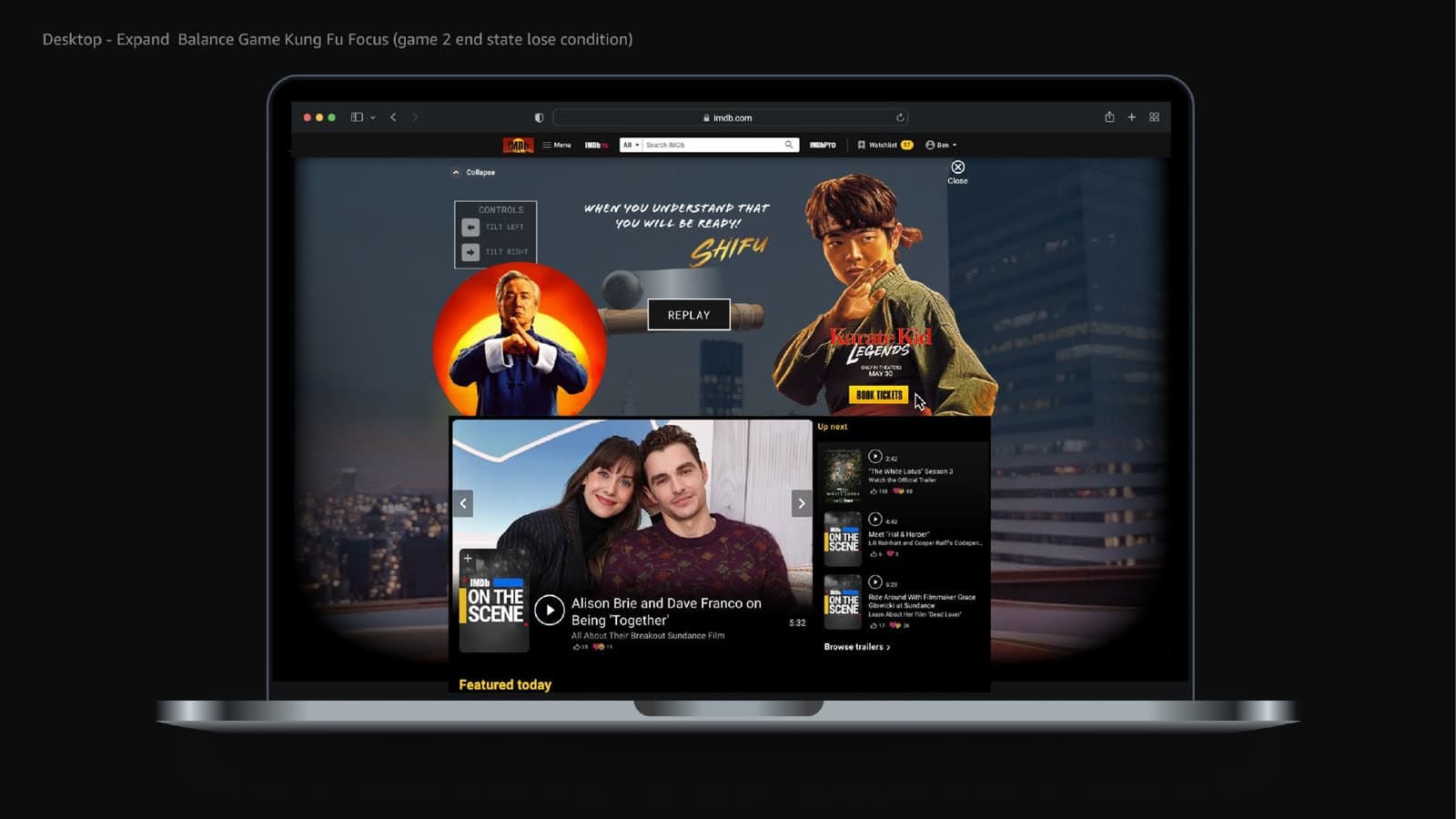
Balance
Control + equilibrium + sustained input
- Out
- 0 / 3
- Time
- 16s
Hold a tilt control or an arrow key. Three exits from the zone ends the drill.
Balance demo idle. Hold Tilt left or Tilt right to keep the marker in the zone.
Ready
Memory
Observe → remember → repeat
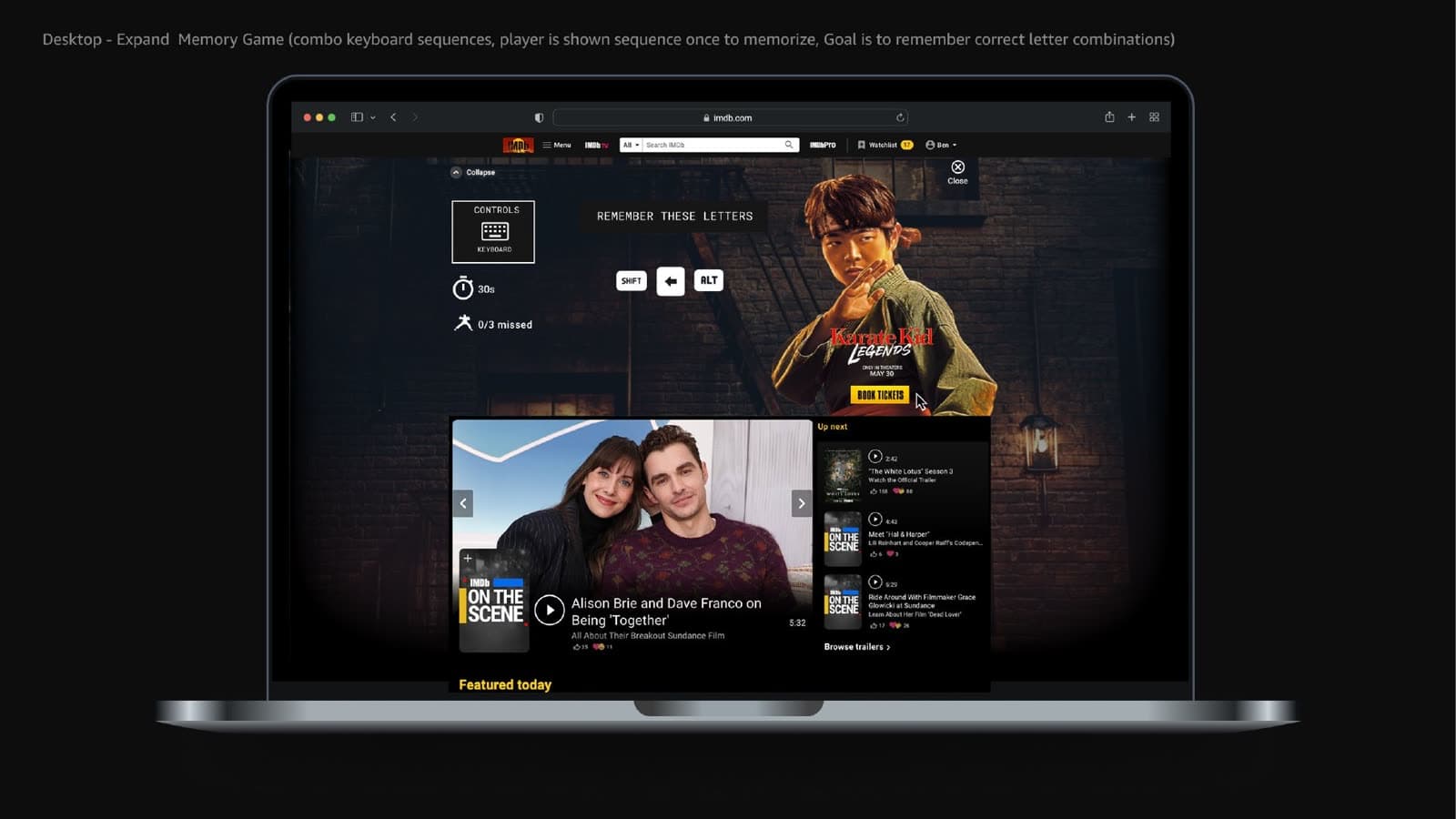
- Letter / key combination shown once
- Player’s turn to repeat the combo
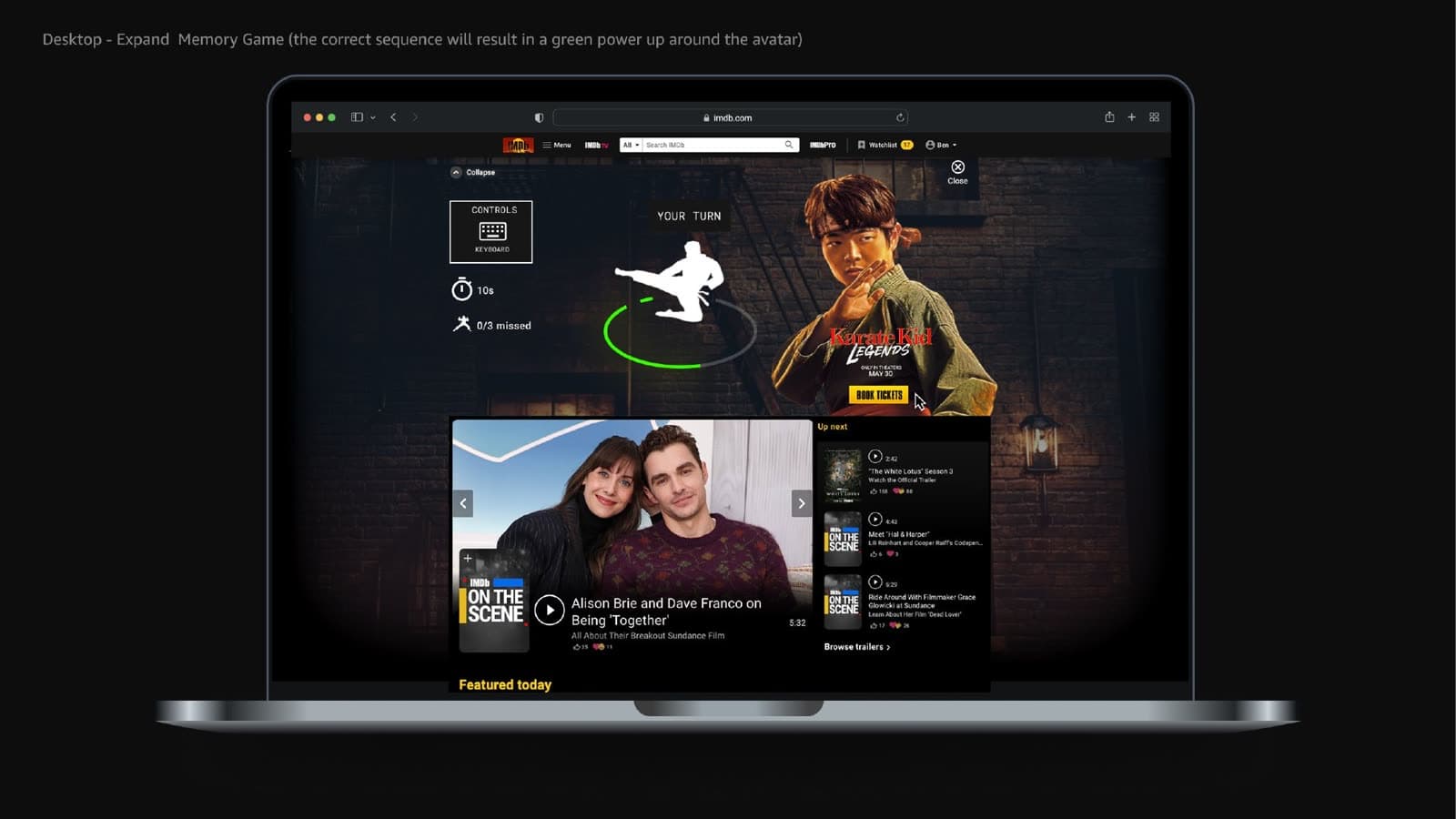
- Correct response (green confirmation)
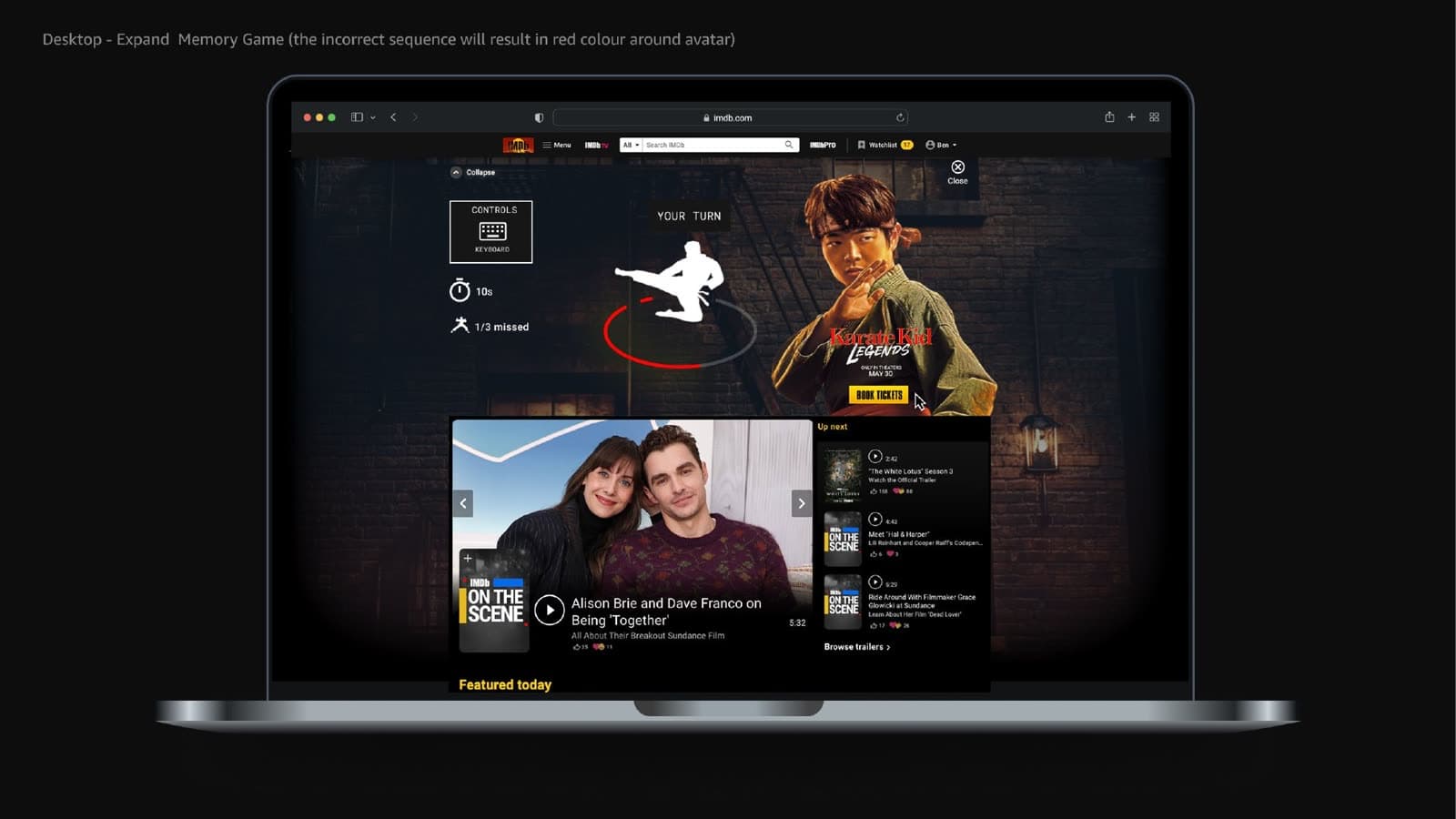
- Incorrect response (red miss)
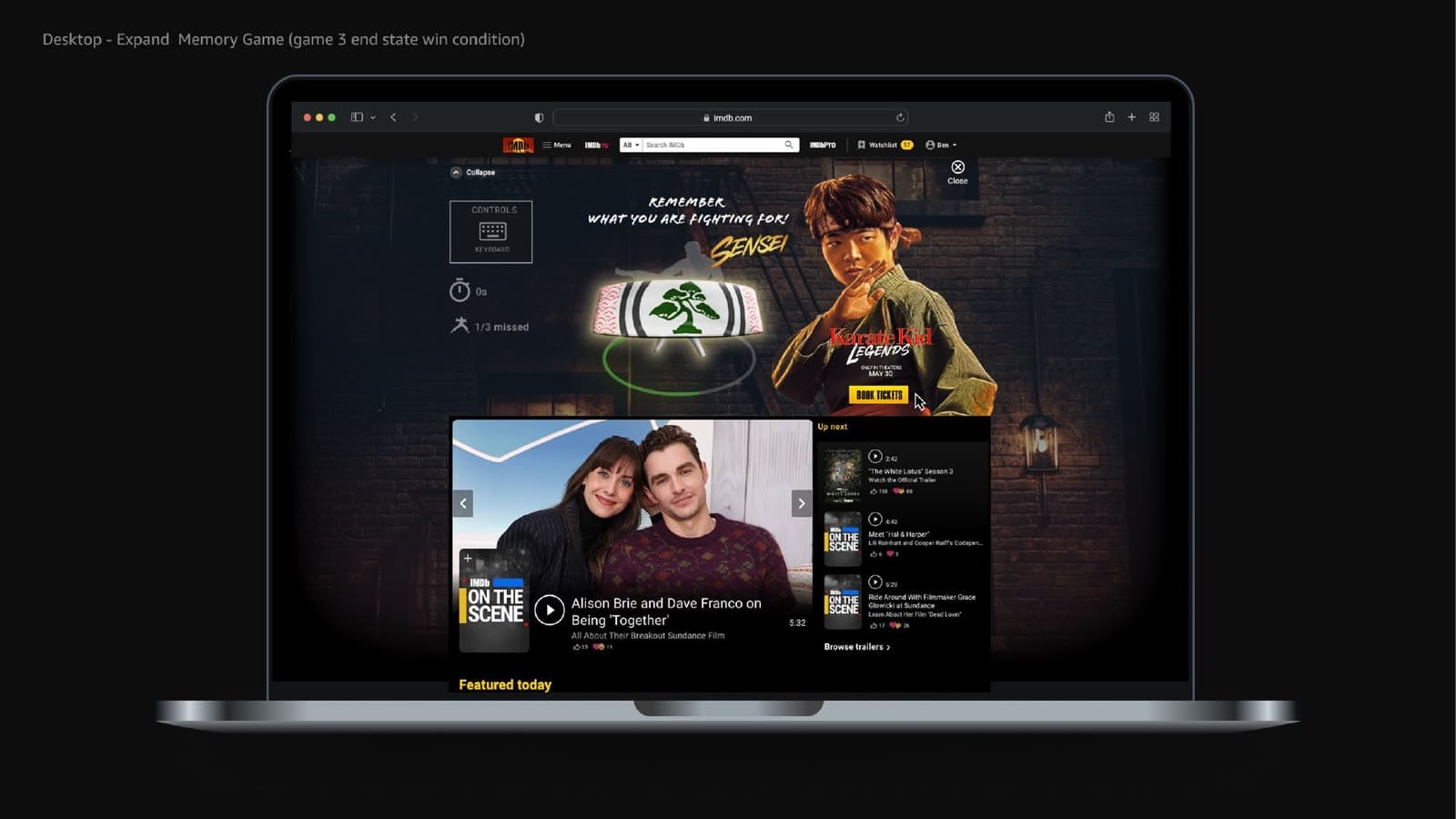
- Completion, reward, or replay
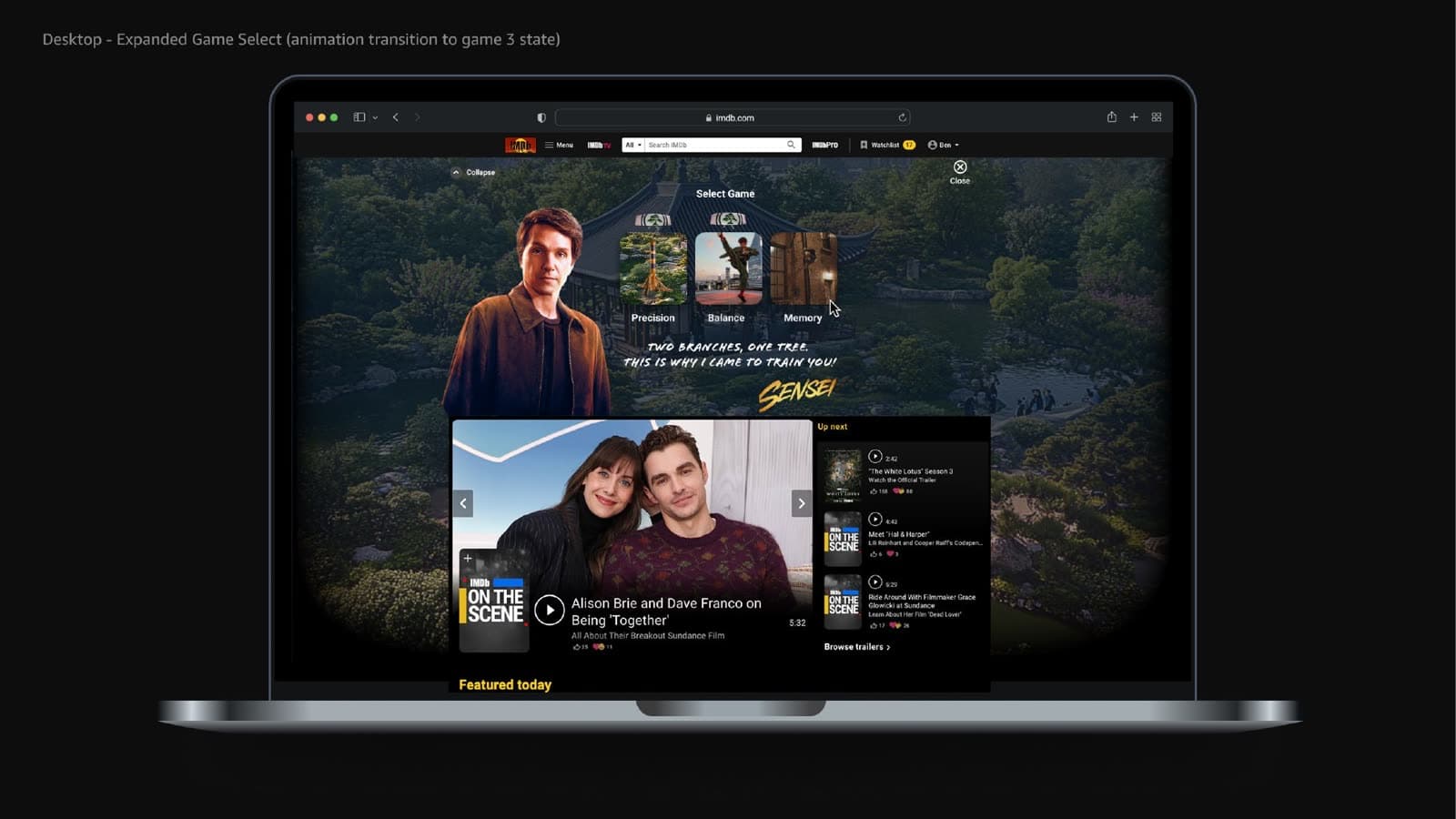
Frames from the April 2025 desktop build.
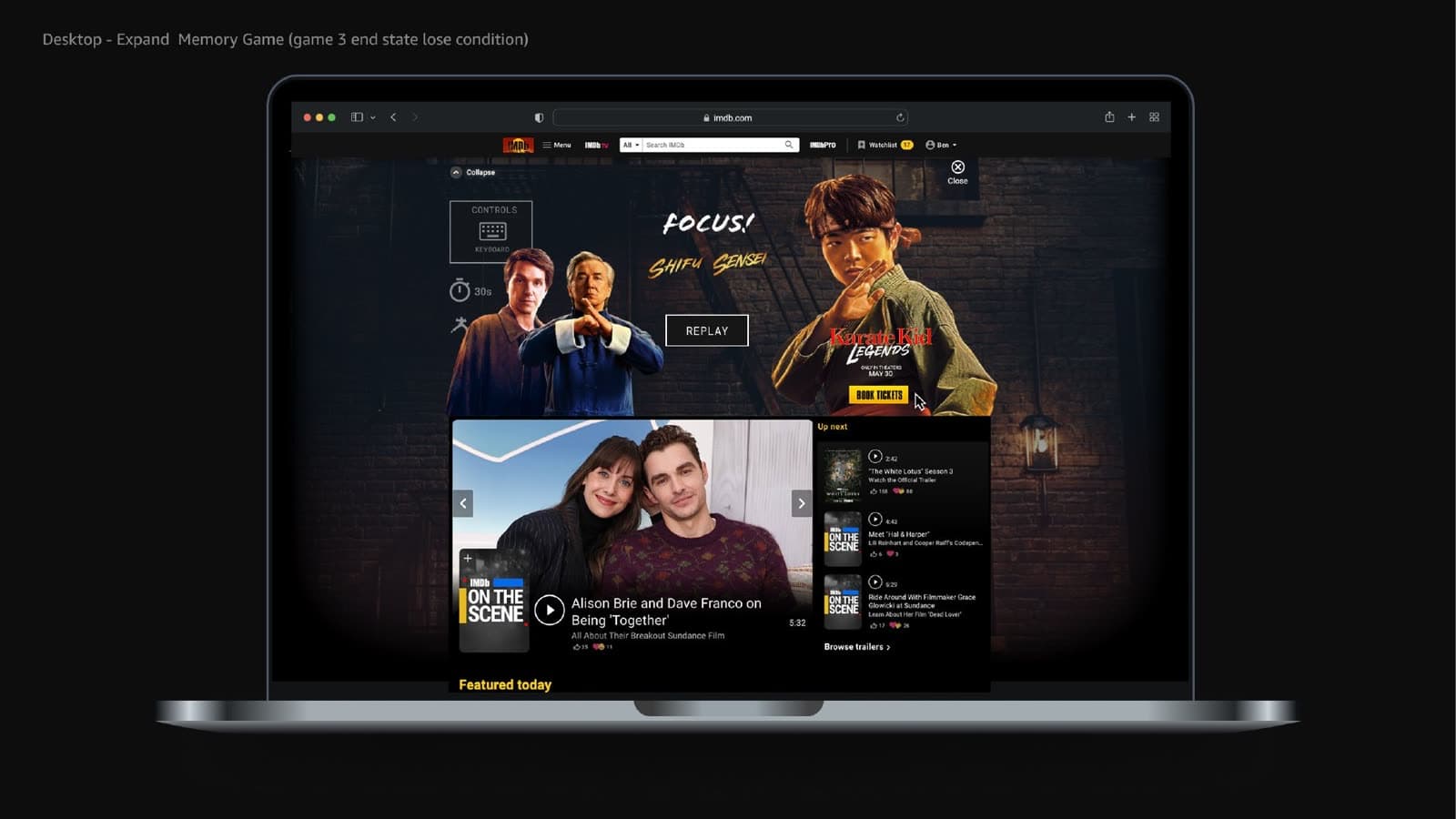
Memory
Observe → remember → repeat
A short key combination will appear once.
—
Portfolio demonstration of the Shift / Alt style combination from the April 2025 Memory build. Use the keys or the buttons.
Memory demo idle. A key combination is shown once, then you repeat it.
Ready
Game system, not static screens
The work was a state machine: select, instruct, play, respond, retry or advance. Layouts were expressions of those states — not a gallery of isolated posters.
- Select game
- Intro
- Instructions
- Active play
- Feedback
- Retry or success
- Next challenge
- Final completion
Designing beyond the screen
Sony Pictures / Columbia Pictures needed an interactive campaign experience that could support motion, feedback, and multiple gameplay states across three distinct training challenges. I designed the game mechanics for each stage and created the visual environments that framed those interactions, including the stage-specific backgrounds, spatial compositions, and supporting scene elements used throughout the experience.
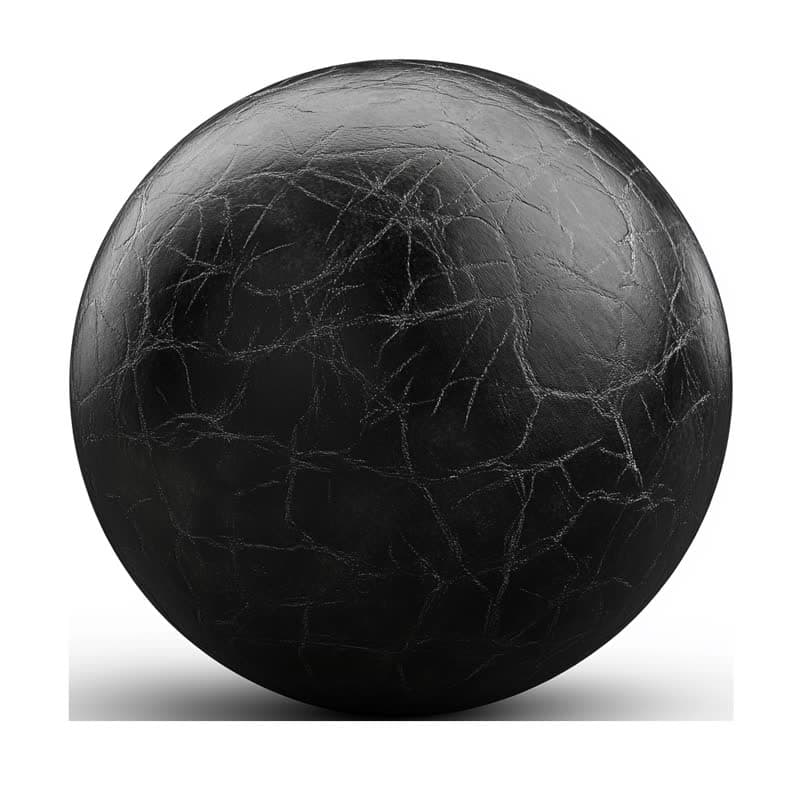
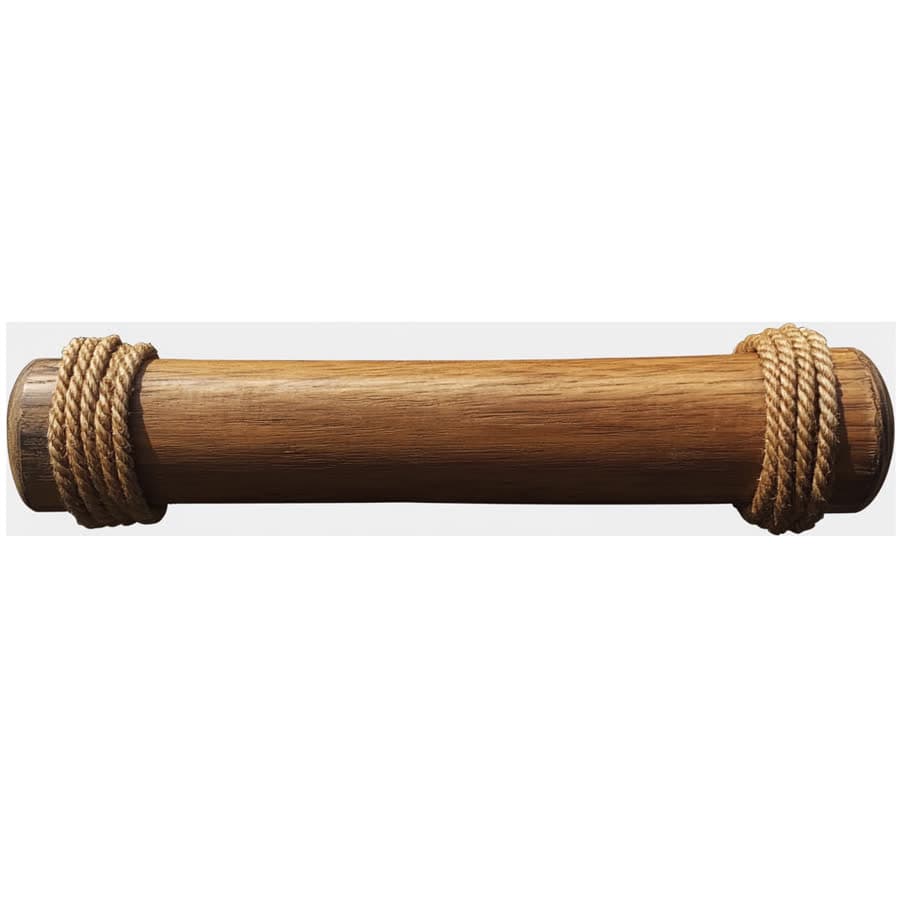
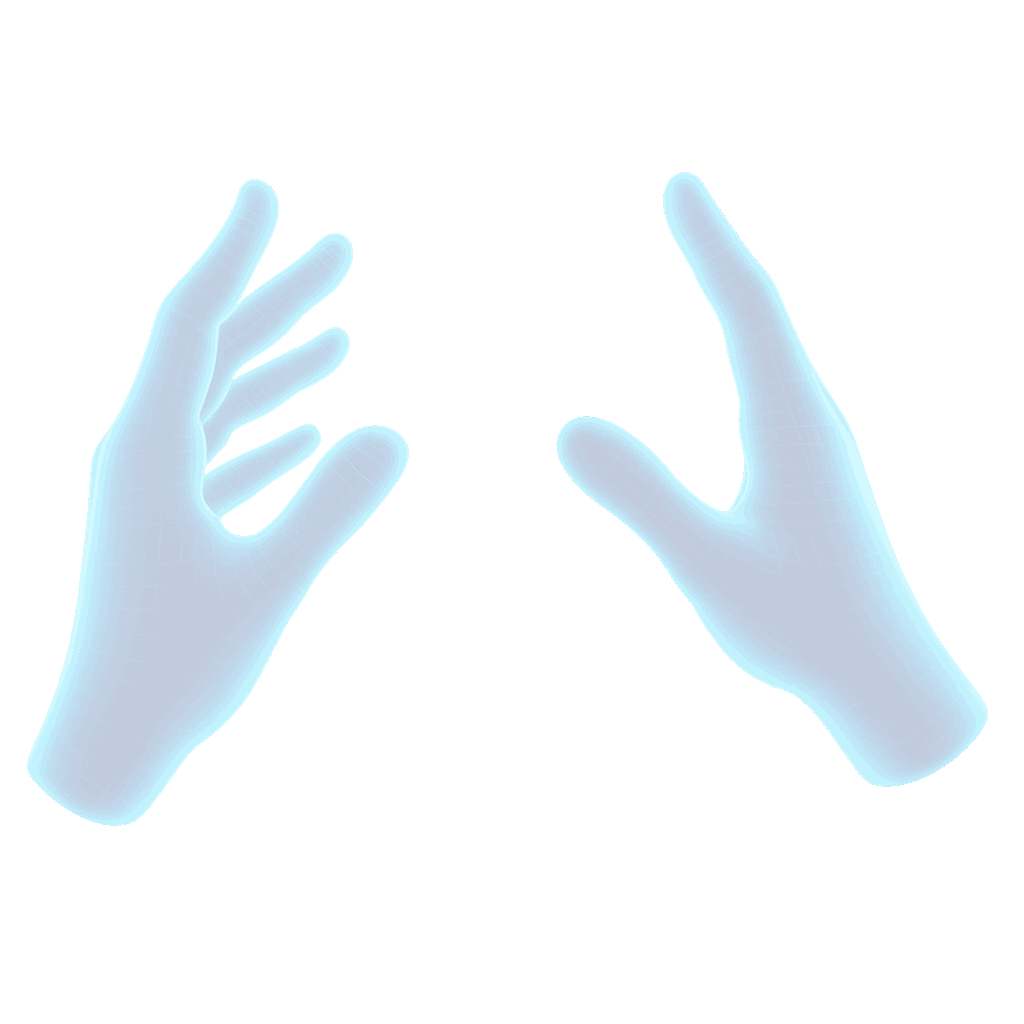
I also created and prepared implementation-ready source objects, sprite frames, 3D assets, and original hand-pose artwork, then collaborated closely with Design Technology to translate the experience into practical build requirements.
Several of the environmental concepts and background treatments developed during this phase were carried forward and refined in the final production, helping preserve continuity between the original interaction design and the launched experience.
- Source art
- Asset separation
- Frame / sprite preparation
- Interaction states
- Implementation

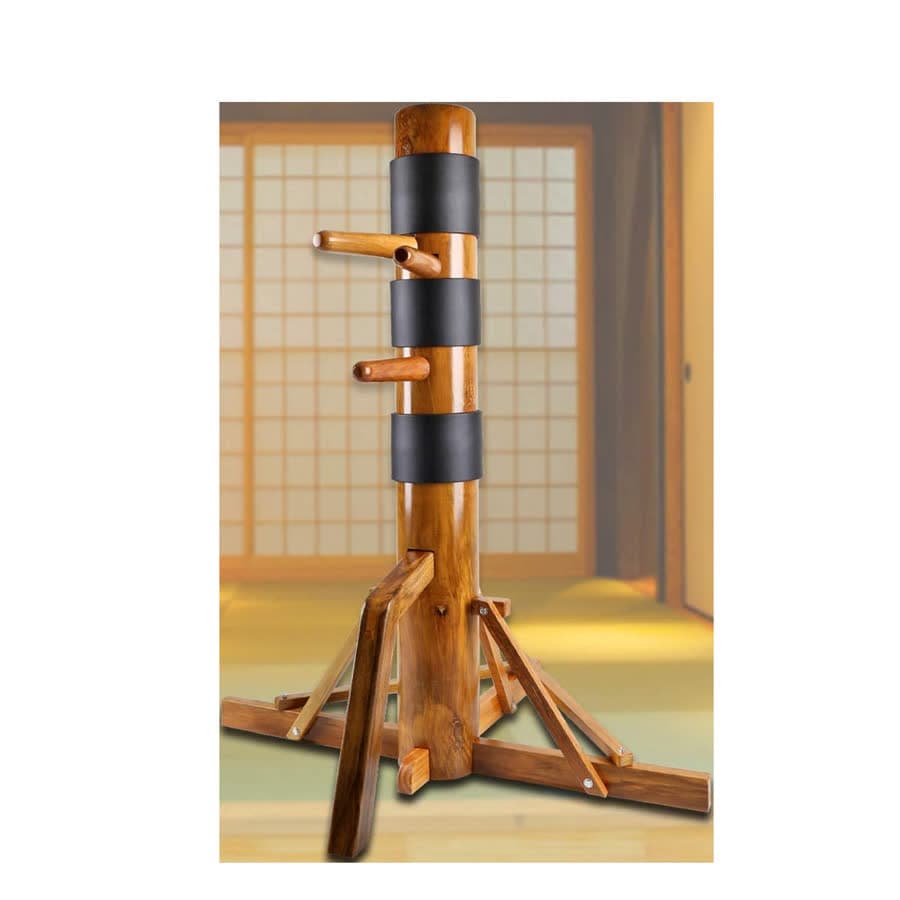
The same training. Different input.
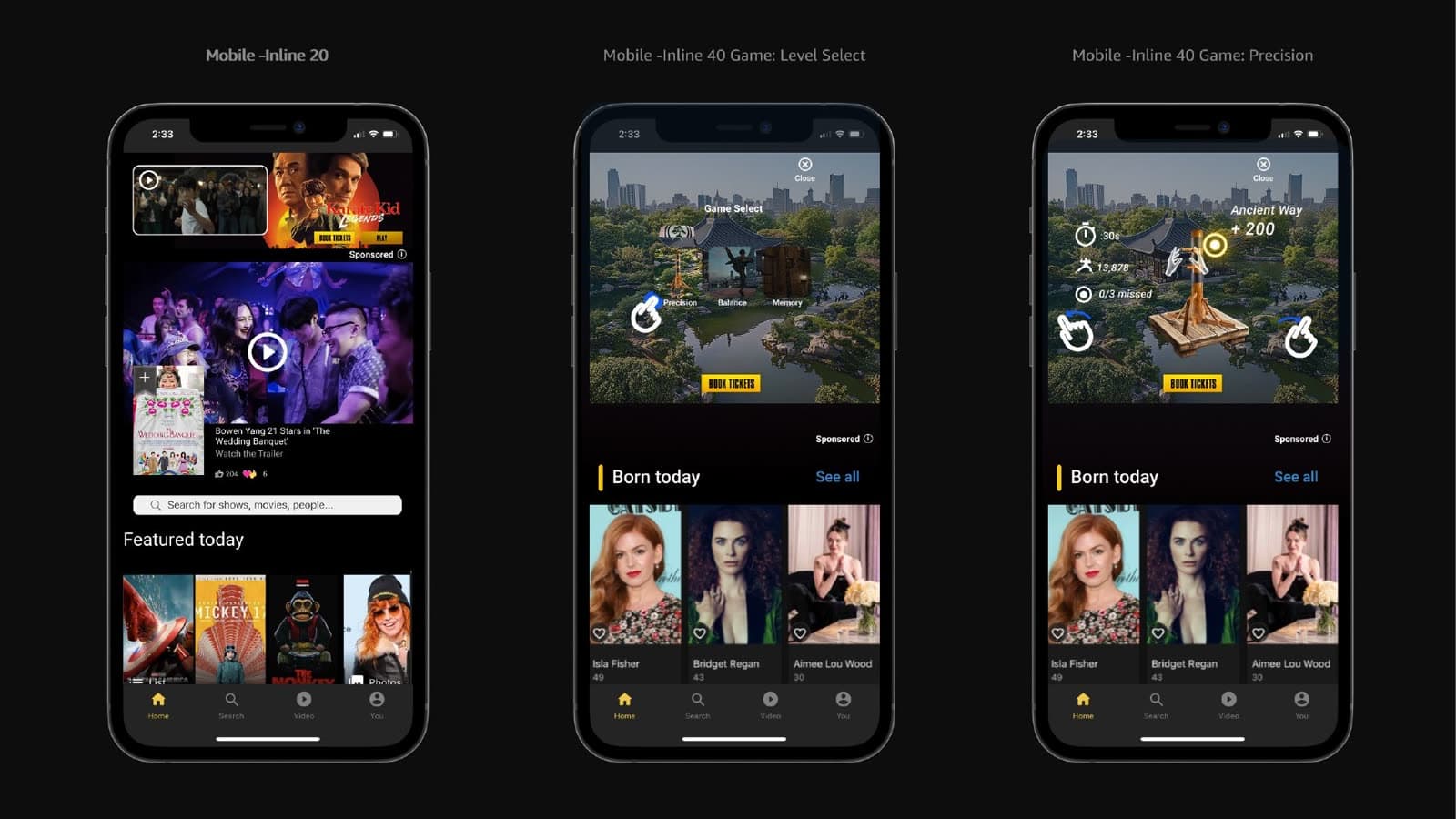
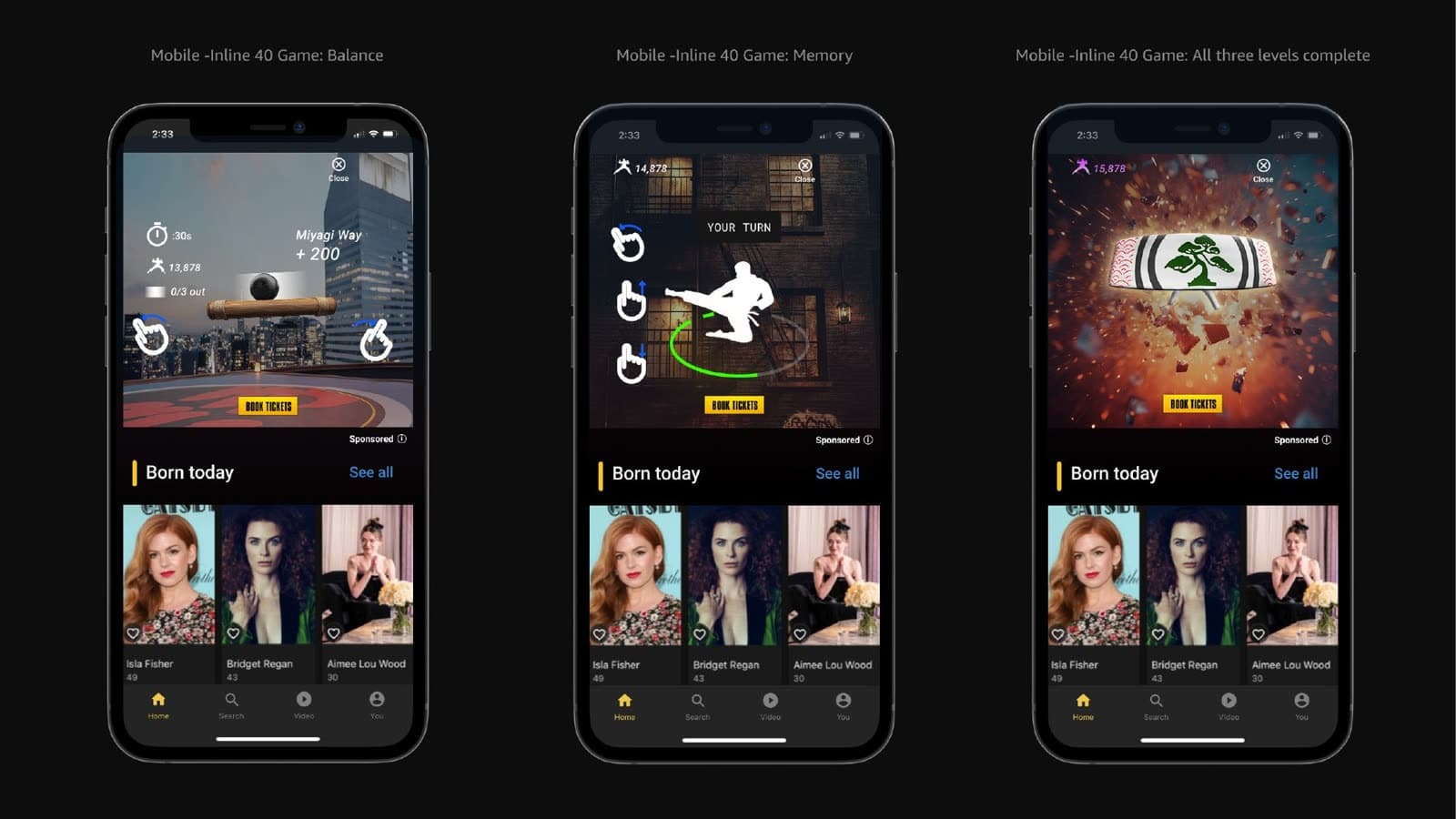
Desktop used keyboard and a wider Video Wall+ canvas. Mobile kept the same Precision → Balance → Memory path with touch targets at the thumb edge, a tighter hierarchy, and the IMDb rail still in view — adapting the interaction model rather than shrinking the desktop layout.
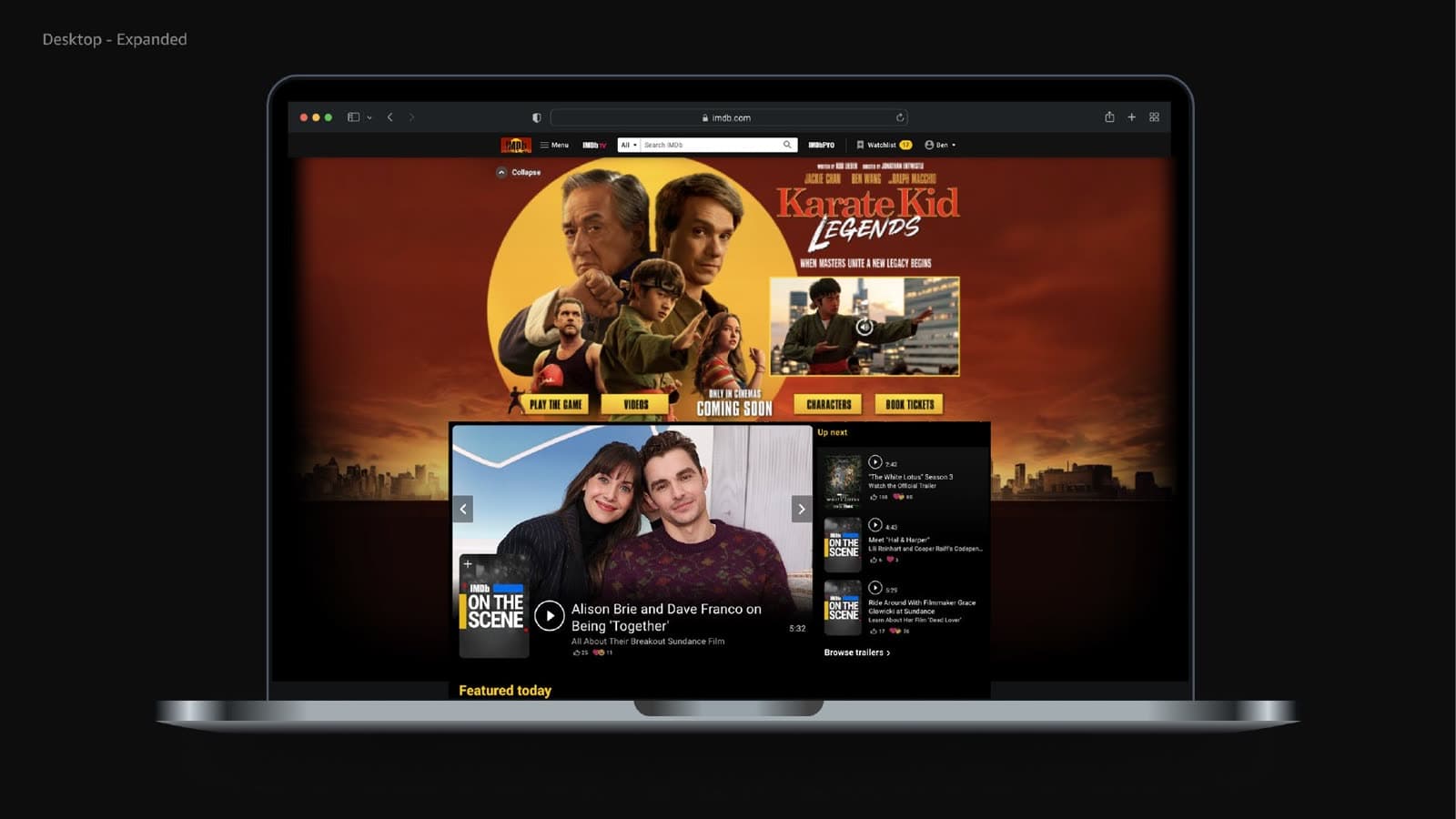
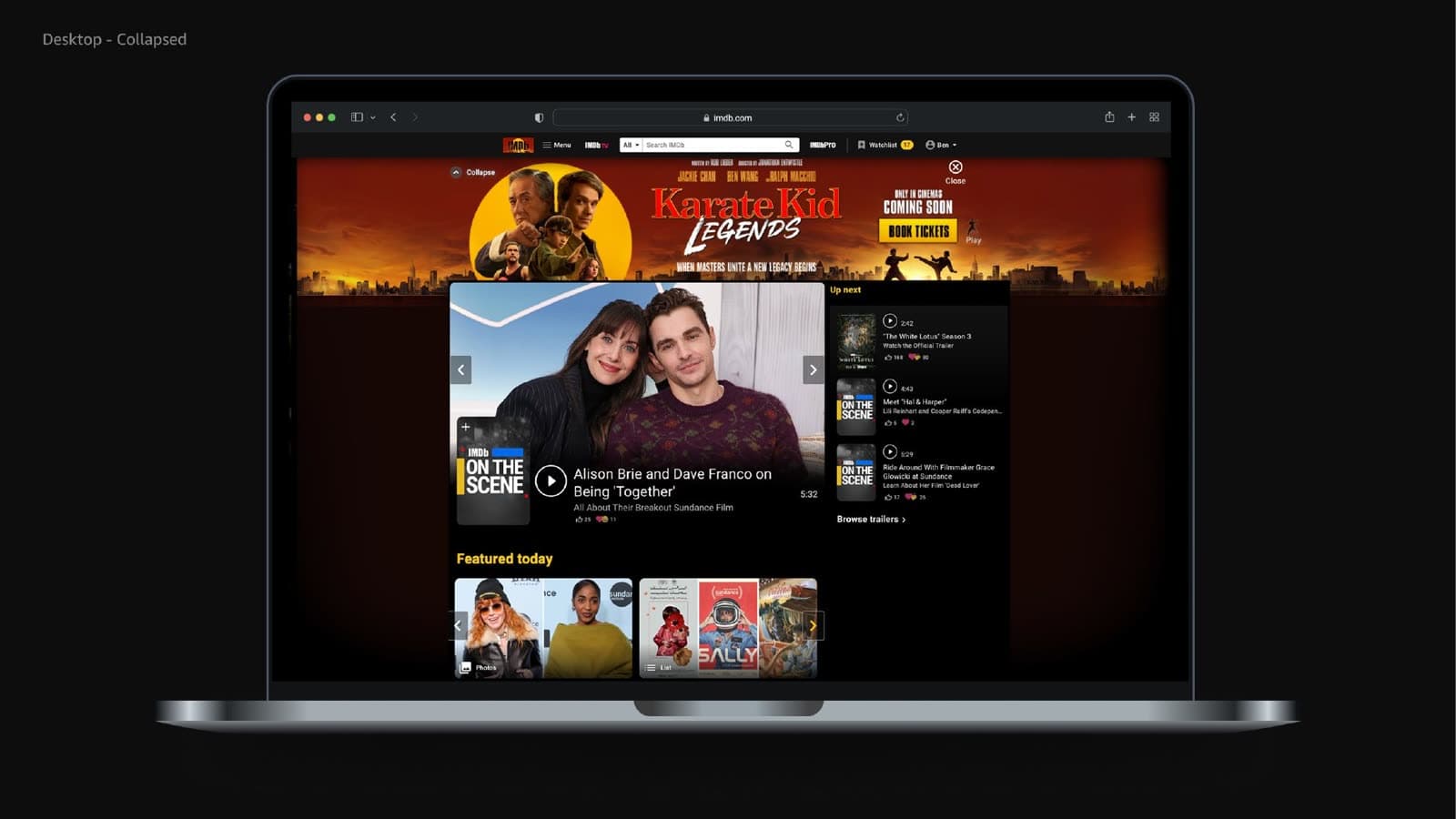
Desktop
- Keyboard / directional input
- Larger interactive canvas
- Expanded Video Wall+ environment
Mobile
- Touch interaction at the thumb edge
- Same three-game path in a tighter canvas
- IMDb rail remains in view beneath the unit
From initial build to production
IMDb Creative Studio’s public case and the video below document the launched campaign. I did not produce this finished edit.
Project timeline
April 2025
Initial Experience
Concept + UX + game mechanics
April 2025
Design × Design Technology
Interaction build + asset production
2025
Continued Production
IMDb Creative Studio Design + Design Technology
2025
Campaign Launch
Final international campaign
2026
Silver ADDY Recognition
Resulting campaign
Impact of the finished campaign
Figures published by IMDb Creative Studio for the launched campaign — not personal performance metrics.
6
Languages, launched simultaneously
10
Countries across Europe and LATAM
3
Training games in one system
Launched our fully localized gamified experience simultaneously in 6 languages across 10 countries in the EU and LATAM (UK, Spain, Mexico, Brazil, Germany, France, Netherlands, Switzerland, Austria, and Ireland).
Pairing addictive mini-games with rich character galleries and exclusive video content, it created a seamless bridge between interactive training and blockbuster hype, bringing discipline, focus, and a whole lot of “wax on, wax off” to fans worldwide.
My contribution
April 2025
- Initial experience design
- Initial build / design development
- Experience architecture
- UX design
- Interaction design
- Game mechanics
- Gameplay behaviors
- Controls
- Scoring + feedback
- Game progression
- Success / failure logic
- Completion + reward states
- Desktop UX
- Mobile UX
- Responsive interaction design
- Visual design
- Background imagery
- Production asset creation
- Asset preparation
- Sprite / animation asset preparation
- Design Technology collaboration
- Presale design
- Early production development
- Continued production with Creative Studio Design + Design Technology